Archive for Wordpress Tutorials
January 31, 2012 Posted by: Brentwood Web Design
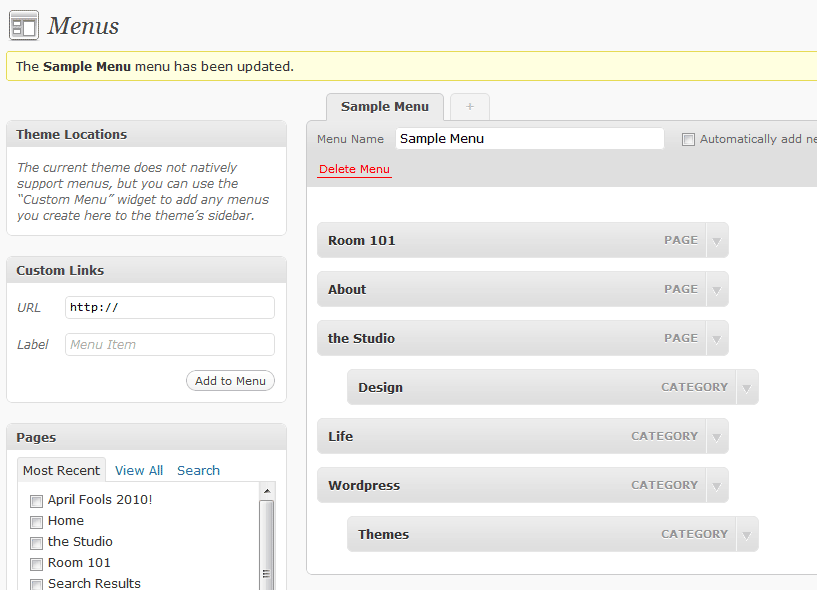
WordPress Tutorial – Working With Custom Menus
You can set up custom menus linking to your content right from the WordPress admin area. Custom menus are flexible, configurable, and easily editable. You can even re-order them by dragging and dropping. To set up a custom menu:
- Choose Appearance > Menus from the left sidebar menu to open the Menus screen.
- Give your menu a name. You will use this to identify your menu later when you place it in your theme. This label will not appear on your site.
- Click Create Menu to create your menu. You will see a message at the top of the screen letting you know that your menu was successfully created.
January 20, 2012 Posted by: Brentwood Web Design
WordPress Tutorial – How To Add New Pages
To add a new page:
- In the sidebar menu, choose Pages > Add New to open the Add New Page screen.
- Give your page a title. After you type in the page title, a URL, or permalink, will appear below it. You can edit the permalink by clicking the Edit button.
- Add some content to your page. You can format your content using the toolbar at the top of the visual (WYSIWYG) editor. For more fine-grained control, click the HTML tab to edit the markup of your page.
- To add media or images to your page, click one of the icons that appear after the words Upload/Insert at the top of the editor.
- Click Publish when you are ready to post the page to your site. You will see “Page published” at the top of the screen.